

Section outline
-

Introduction
Data governance is essential for ensuring data integrity and compliance, particularly within retail environments like HEMA. With the increasing reliance on data-driven decision-making, establishing robust data governance frameworks helps HEMA maintain operational efficiency and enhance customer experiences.
Learning Objectives
-
Define data governance and explain its significance in retail.
-
Describe key data governance frameworks and their applications.
-
Understand the role of data governance in HEMA's decision-making processes.
-
-
Introduction
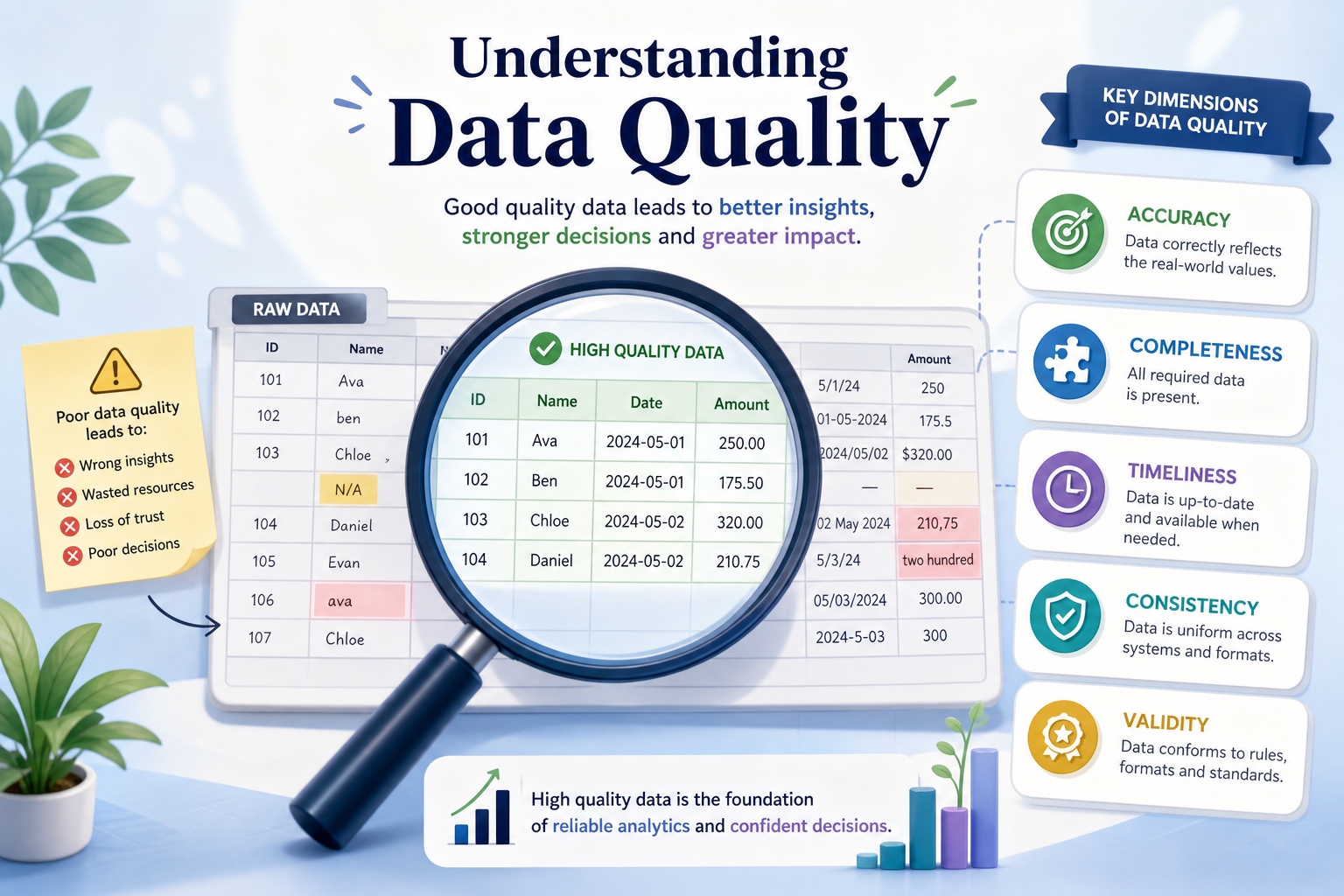
In the retail industry, data quality is crucial for making informed business decisions, optimizing inventory, and enhancing customer service. At HEMA, ensuring high data quality supports operational efficiency and customer satisfaction. This section will delve into the fundamentals of data quality and its application in a retail context, highlighting its importance for improving business outcomes.
Learning Objectives
-
Define data quality and explain its significance in retail.
-
Identify key dimensions of data quality, such as accuracy, consistency, and completeness.
-
Recognize common data quality issues faced in the retail sector.
-
-
Introduction
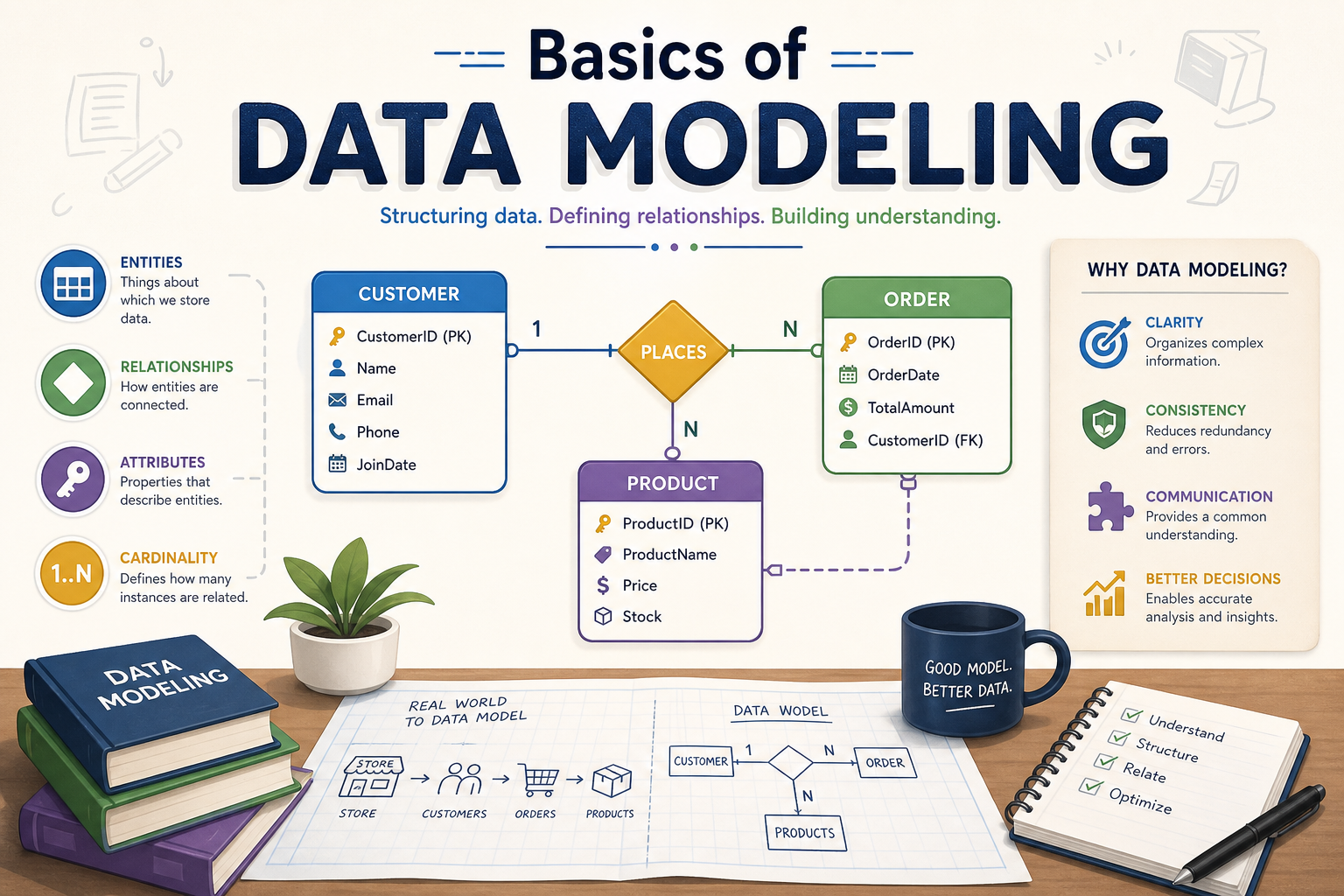
In this section, learners will explore the fundamentals of data modeling, a critical skill for effectively managing data within HEMA's retail operations. Understanding data modeling enhances decision-making capabilities by providing structured insights into data relationships and facilitating efficient data handling. This foundational knowledge is essential for improving data quality and governance practices at HEMA.
Learning Objectives
-
Define and explain the purpose of data modeling in retail.
-
Identify and differentiate between types of data models: conceptual, logical, and physical.
-
Understand basic concepts such as entities, attributes, and relationships.
-
-

Introduction
In this section, we will explore how to integrate the key concepts of data governance, data quality, and data modeling specifically within the Dutch department store HEMA. Understanding the application of these data management practices is essential to optimizing customer data management, enhancing customer experiences, and strategically managing inventory. These skills will empower HEMA to leverage data effectively for competitive advantage in the retail sector.
Learning Objectives
-
Apply data governance, data quality, and data modeling principles in real-world scenarios at HEMA.
-
Analyze strategies for managing customer data to enhance customer experience.
-
Explore the role of data in strategic inventory management.
-
-

Introduction
In this culminating section, we will revisit the key concepts of data governance, data quality, and data modeling, emphasizing their integrated application within the Dutch department store HEMA. Understanding these concepts is essential for ensuring effective data management that enhances operational efficiency and customer experience at HEMA.
Learning Objectives
-
Reinforce understanding of data governance, quality, and modeling.
-
Analyze their interrelated applications specific to HEMA.
-
Explore future learning opportunities in advanced data techniques.
-